See PulsePMO IQ in action.
A guided look at the screens that replace Friday’s status deck — the Command Center, the Demand pipeline, a project owner’s Workbench, and the Pulse AI decision queue. Real product screens, illustrative data.
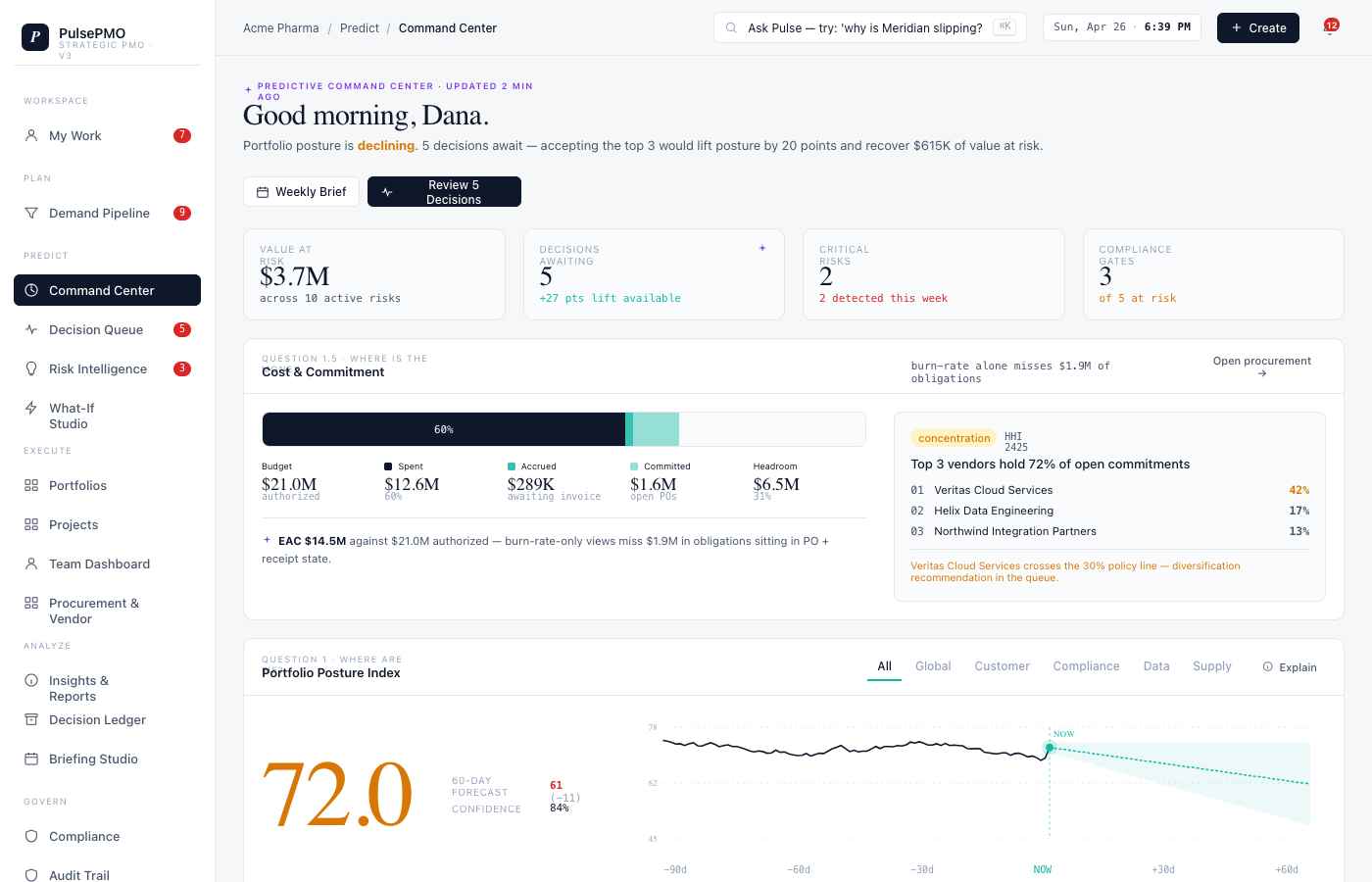
Command Center
A connected portfolio view with posture, value at risk, and decisions waiting for review—shown with illustrative data.
- Portfolio posture and burn at a glance, updated as maintained records change.
- Value at risk surfaced across every active program.
- The decisions for the week queued where leaders can act on them.
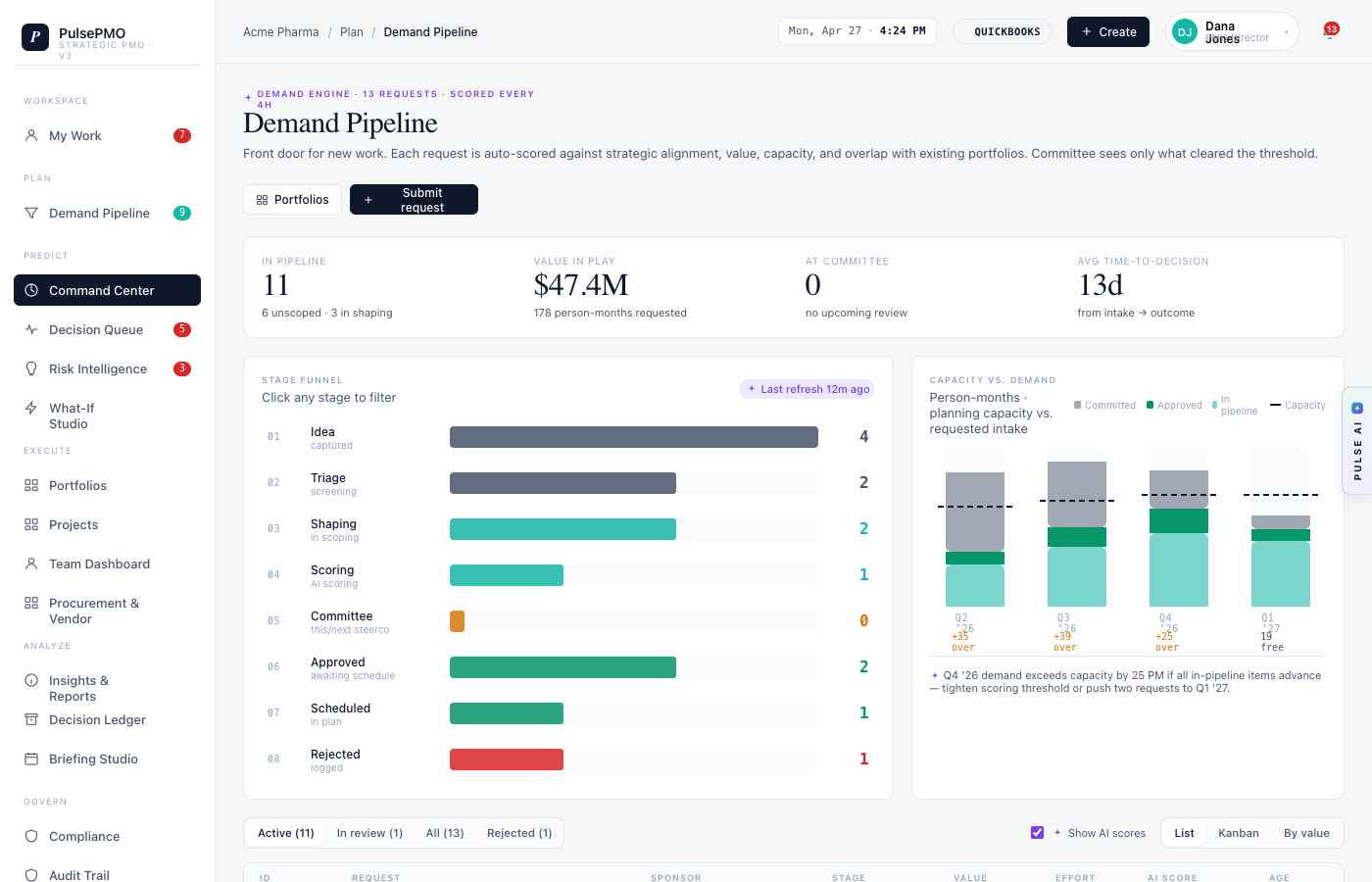
Demand pipeline
Intake scored against strategy and capacity — so the committee weighs trade-offs, not just a stack of requests.
- Every request scored on strategic fit and capacity.
- Stage-gated triage from intake to approval.
- Trade-offs made visible before commitments are made.
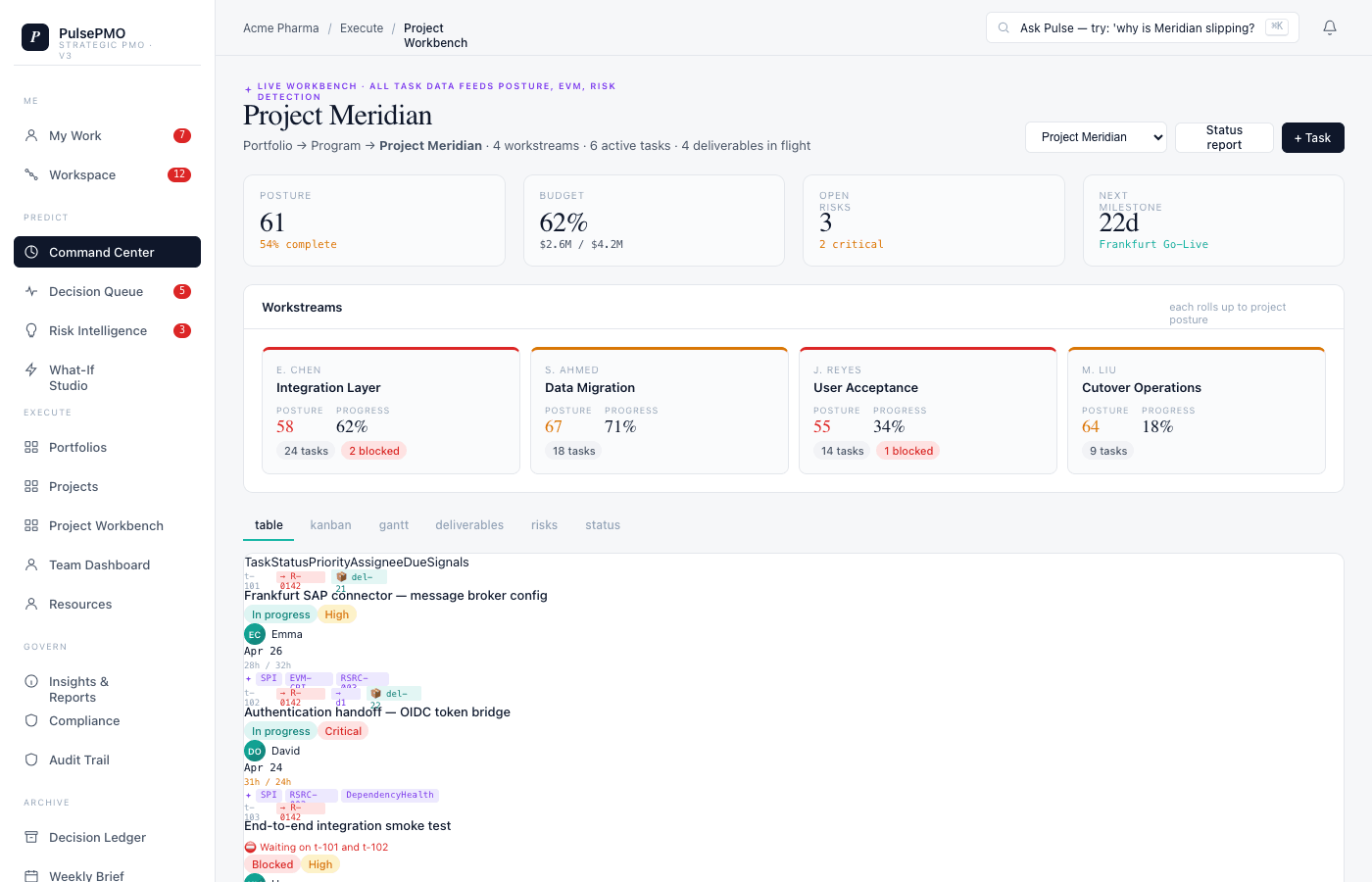
Project Workbench
A project owner’s view: phases, RAID, and deliverables — the inputs that drive the posture on the dashboard above.
- Phases, milestones, and deliverables in one place.
- RAID and dependencies tracked against the plan.
- Owner updates roll straight up into portfolio posture.
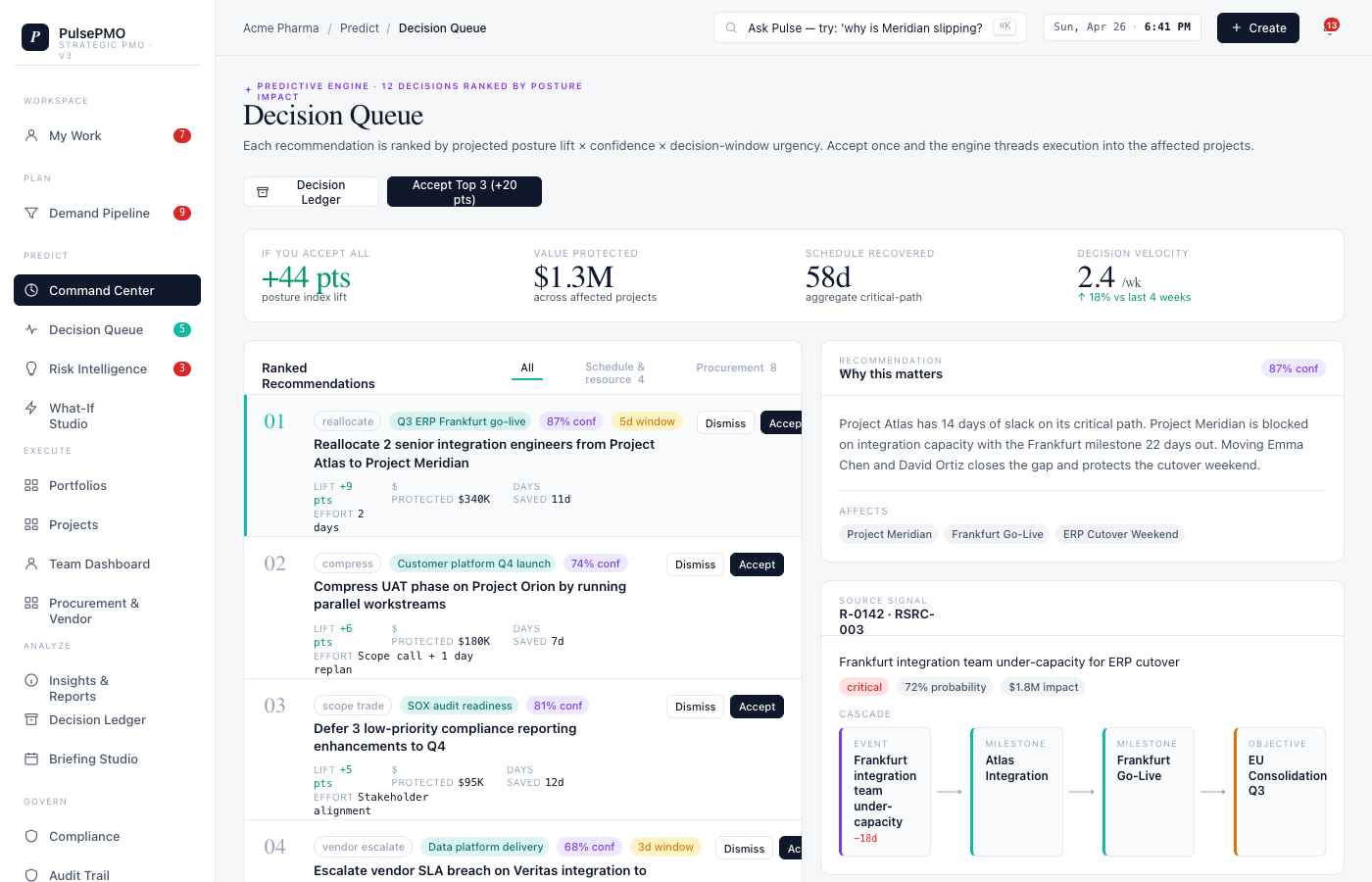
Pulse AI decision queue
Pulse AI can surface slip risk and recovery options for human review, with the resulting decision retained in the workflow.
- Risk flags raised before a slip becomes a surprise.
- Recovery scenarios presented for comparison and review.
- Governance-sensitive decisions retain actor and timestamp context.
Questions to answer during evaluation.
Is the portfolio in the tour real?
The fragmented status, the reconciliation week, the audit-trail problem. These screens run on an illustrative portfolio — but the pain they show is the one we built the platform around.
Can we evaluate the AI-assisted workflow?
Evaluation scope is confirmed during onboarding. The review should test explainability, human authority, and usefulness against agreed data—not assume an automated decision outcome.
How long does onboarding take?
Timing and included services vary by plan, portfolio scope, data readiness, and connector needs. No universal implementation timeline or launch SLA is promised here.
Book a walkthrough with our team.
One of the founding team will run a 30-minute session against your portfolio shape. No sales rep on the call.
Open the in-app product tour.
The guided in-app tour picks up where these screens leave off — role-specific, at your own pace.
Sign inHave a specific question first?
Tell us what you are trying to solve. We will tell you whether we are the right fit before booking time.
Contact our team